
Modernizing Business Applications for Efficiency
Modernizing your business applications is no longer just a technical upgrade; it is a strategic necessity for maintaining operational efficiency. Aging internal tools and customer portals often become bottlenecks that hinder growth and increase technical debt.
- Operational Efficiency
- Legacy Systems
- Enterprise Solutions
- Digital Transformation
By focusing on enterprise application modernization, organizations can eliminate manual workflows and replace them with high-performance systems. This transition allows teams to focus on high-value tasks rather than fighting with fragile software.
Why Modernize Traditional Applications Now?
Legacy software often lacks the flexibility required for today's fast-paced market. When you modernize traditional applications, you unlock the ability to integrate with modern APIs, scale on-demand, and provide a better user experience for both employees and customers.
40%
Reduction in IT maintenance costs
2.5x
Increase in deployment frequency
60%
Improvement in employee productivity
Core Strategies for Application Modernization
Successful legacy application modernization solutions typically involve one of several paths: rehosting, refactoring, or re-architecting. The right choice depends on your current technical debt and long-term business goals.
- Rehosting: Moving applications to the cloud with minimal changes.
- Refactoring: Optimizing existing code to run better in a cloud environment.
- Re-architecting: Changing the application code to shift to a microservices model.
- Rebuilding: Scrapping the old system to build a modern, cloud-native version.
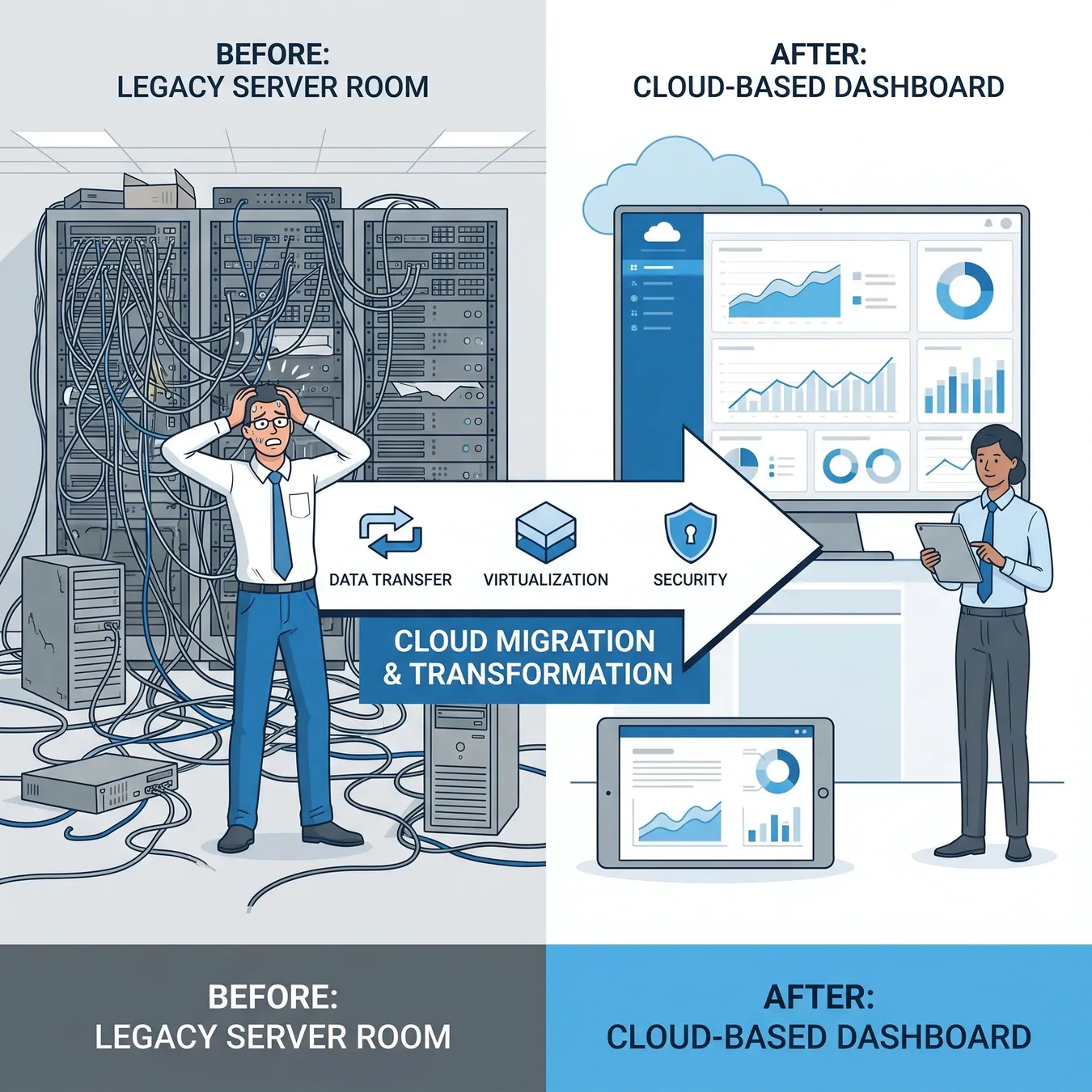
Transitioning from legacy infrastructure to modern cloud-native systems.
Overcoming Technical Debt and Manual Workflows
Manual workflows are often a symptom of disconnected legacy systems. By implementing automated digital workflows, businesses can bridge the gap between disparate tools and reduce human error.
Info.
// The Cost of Inaction
The Role of Cloud Infrastructure
A critical component of any modernization effort is the legacy to cloud migration. This move provides the underlying scalability and security that modern business applications require to perform at scale.

Auditing existing code for modernization potential.
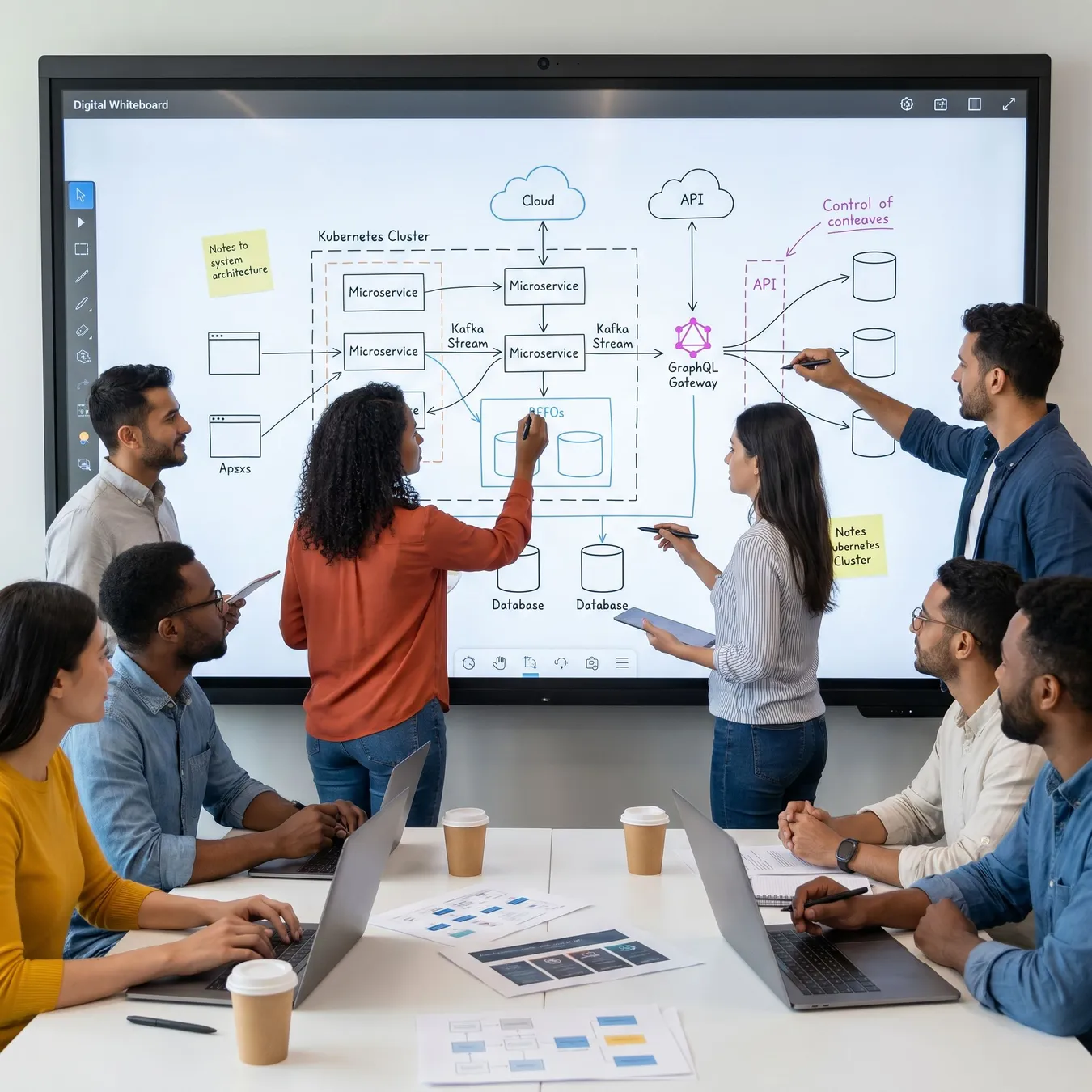
Planning the transition to a modern architecture.
Modernization vs. Maintenance
Trade-off
3 pros · 3 cons
Pros
Lower long-term operational costs
Enhanced security and compliance
Faster time-to-market for new features
Cons
High risk of system failure
Difficulty finding talent for old stacks
Inability to integrate with modern AI tools
Steps to Modernize Your Enterprise Suite
01 / 04
phase 01 / 04
Inventory and Audit
phase 02 / 04
Strategy Selection
phase 03 / 04
Execution and Migration
phase 04 / 04
Optimization
Common Pitfalls to Avoid
Prioritize apps with the highest business impact.
Focus on user experience for internal tools.
Plan for data integrity during migration.
Try to modernize everything at once.
Ignore the underlying infrastructure needs.
Underestimate the time required for testing.
Modernization Checklist
Complete technical audit of legacy codebase
Identify manual bottlenecks in current workflows
Define clear ROI metrics for the project
Select a cloud-native target architecture
How Studio 402 Bridges the Gap
At Studio 402, we specialize in turning operational bottlenecks into durable software. Whether you are dealing with a brittle monolith or a prototype that won't scale, we provide the engineering depth to modernize your systems for the long haul.
Modernization isn't just about new code; it's about building a foundation that allows a business to move as fast as its ideas.
Studio 402 Engineering Team
Explore Modernization Resources
Frequently Asked Questions
Ready to Modernize Your Systems?
Stop letting technical debt slow you down. Let's build a high-performance system that scales with your business.
Keep reading