
Migrating Spreadsheet Finance Ops to Durable Software
For many finance leaders, spreadsheet finance ops are the backbone of the business. However, as transaction volume grows, these manual accounting workflow processes often become brittle, leading to errors and operational drag.
- Finance Ops
- Workflow Automation
- Scalable Systems
- Data Integrity
The transition to durable software is not just about replacing a tool; it is about how you automate accounting processes to ensure accuracy and auditability at scale.
The Hidden Costs of Spreadsheet-Based Finance
Relying on Excel for your accounting workflow creates invisible risks. Manual data entry is prone to human error, and version control issues can lead to catastrophic reporting mistakes.
Trade-off
3 pros · 3 cons
Pros
Low initial cost and setup time
High flexibility for ad-hoc changes
Universal familiarity among staff
Cons
Lack of real-time data synchronization
High risk of formula and entry errors
Zero audit trails or permission controls
Defining Your Accounting Workflow Automation Strategy
Before building software, you must map your current accounting workflow. Identifying bottlenecks in approvals and reconciliation is the first step toward a durable system.
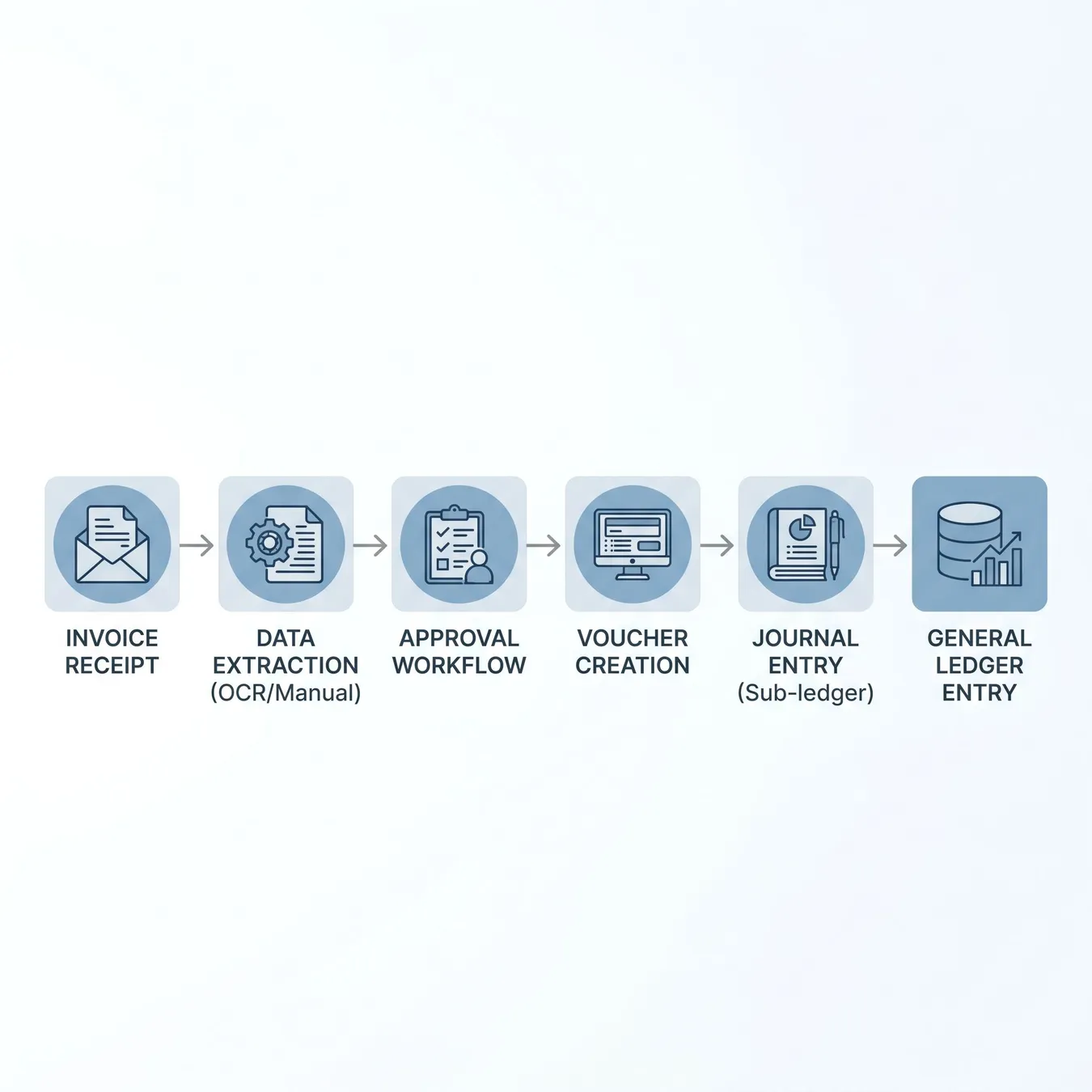
Mapping the transition from manual entry to automated data pipelines.
Key Steps to Automate Accounting Processes
- 01
Audit existing spreadsheet dependencies and logic.
- 02
Standardize data formats for ingestion.
- 03
Design role-based access and approval hierarchies.
- 04
Build or integrate API connections for banking and ERP.
- 05
Implement automated reconciliation and exception handling.
Tip.
// Migration Tip
Building a Durable Accounting Workflow
A durable system is one that survives employee turnover and high transaction loads. This requires moving beyond simple scripts toward production-ready workflow automation software.
85%
Reduction in manual data entry errors
12x
Faster month-end closing cycles
100%
Audit trail visibility
The Role of AI in Automating Accounting Workflows
Modern systems leverage finance workflow automation to handle unstructured data like scanned receipts or complex vendor emails, reducing the need for manual oversight.
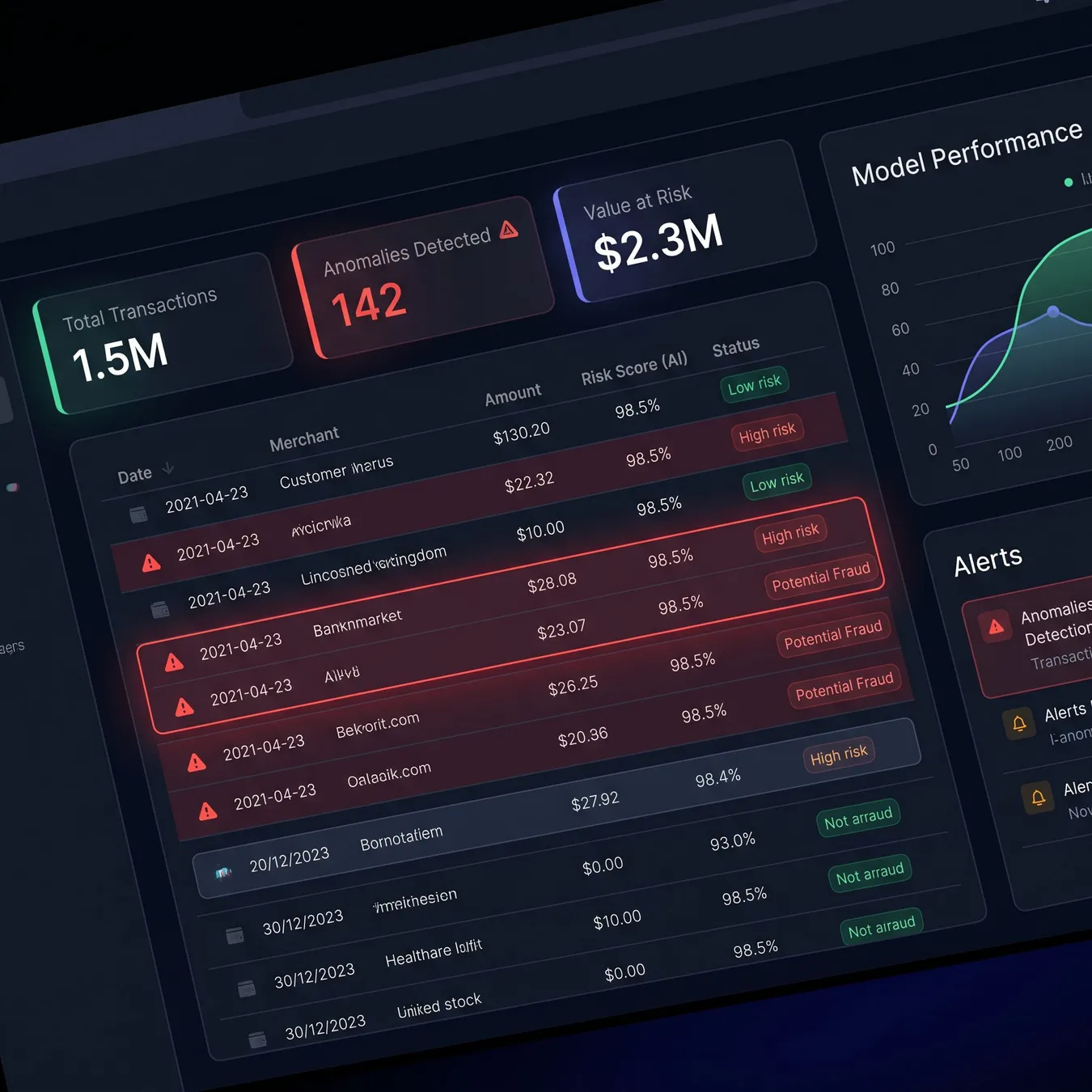
AI-native systems can flag discrepancies that spreadsheets often miss.
Migration Checklist: Moving from Excel to Software
Verify data integrity of historical spreadsheet records
Define user roles and permission levels
Establish API connections with existing bank accounts
Map all custom Excel formulas to software logic
Set up automated backup and disaster recovery
Common Pitfalls in Finance Ops Migration
Maintain a parallel spreadsheet for the first two cycles.
Involve the end-users (accountants) in the UI design.
Prioritize data security and encryption.
Try to automate broken or illogical manual processes.
Ignore the need for human-in-the-loop approvals.
Hard-code tax rates or volatile business rules.
Scaling for Small and Mid-Market Businesses
While enterprise solutions exist, small business automation often requires a more tailored approach that balances custom needs with budget constraints.
Ensuring Long-Term System Maintainability
Durable software isn't just about the launch; it's about the ability to iterate. Your system should be built on a stack that allows for future AI integrations and reporting expansions.
Integrating with Existing ERPs
Your custom software shouldn't be an island. It must integrate seamlessly with your general ledger to ensure that automating accounting workflows results in a single source of truth.
| Feature | Spreadsheet Ops | Custom Software |
|---|---|---|
| Audit Trail | Manual/None | Automated/Immutable |
| Scalability | Breaks at 10k rows | Cloud-scale |
| Security | Password protected | OAuth/MFA/RBAC |
Transitioning the Finance Team Culture
The biggest hurdle is often cultural. Moving away from 'the way we've always done it' requires clear communication about the benefits of automation in finance and accounting.
Frequently Asked Questions
The Path to Financial Operational Excellence
Moving from spreadsheets to software is the foundation for advanced capabilities like real-time forecasting and automated vendor management. It turns finance from a back-office cost center into a strategic engine.
How Studio 402 Bridges the Gap
At Studio 402, we specialize in rescuing teams from spreadsheet hell. We don't just build apps; we engineer durable financial systems that scale with your growth and integrate with your existing stack.

Collaborative design for production-ready finance tools.

Security-first infrastructure for sensitive financial data.
Ready to Replace Your Fragile Spreadsheets?
If your finance ops are held together by complex Excel workbooks and manual emails, it's time to build a foundation that won't break. We help you transition to custom software that provides the auditability and speed your business demands.
Build Your Durable Finance System
Stop managing spreadsheets and start leading with data. Let's discuss your migration roadmap.
Deepen Your Knowledge
Project Timeline: What to Expect
01 / 05
phase 01 / 05
Discovery & Audit
phase 02 / 05
Architecture Design
phase 03 / 05
Development & Hardening
phase 04 / 05
Parallel Testing
phase 05 / 05
Launch & Scale
Ensuring Data Security During Migration
Security is paramount when handling financial data. Our migration process includes end-to-end encryption and strict IAM policies to protect your business intelligence.
Custom vs. Off-the-Shelf Solutions
Off-the-shelf tools often force you to change your business to fit their software. Custom software allows you to keep your unique competitive advantages while automating the drudgery.
Moving to custom software didn't just save us time; it gave us the confidence to scale our transaction volume by 400% without adding a single headcount to the finance team.
Sarah Jenkins · VP of Finance
Next Steps for Finance Leaders
The first step is a technical audit. Understanding the complexity of your current Excel environment will help define the scope of your new production-ready system.
Trusted by growth-stage companies to automate over $500M in annual transaction volume.
Updated July 2026
Keep reading
More in Financial & AP Automation
Technical Requirements for Migration
- Cloud-native hosting (AWS/GCP/Azure)
- Relational database for structured financial records
- Secure API gateway for third-party integrations
- Automated CI/CD pipeline for reliable updates
By following this guide, you can move from the fragility of spreadsheet finance ops to the reliability of a custom-engineered software platform.