
Custom SAP Business One AP Automation
Managing accounts payable in SAP Business One often involves significant manual effort, from data entry to complex approval routing. Implementing sap business one ap automation allows your finance team to shift from data processing to strategic oversight by removing the friction of paper-based workflows.
- ERP Integration
- Finance Ops
- Automation
- SAP B1
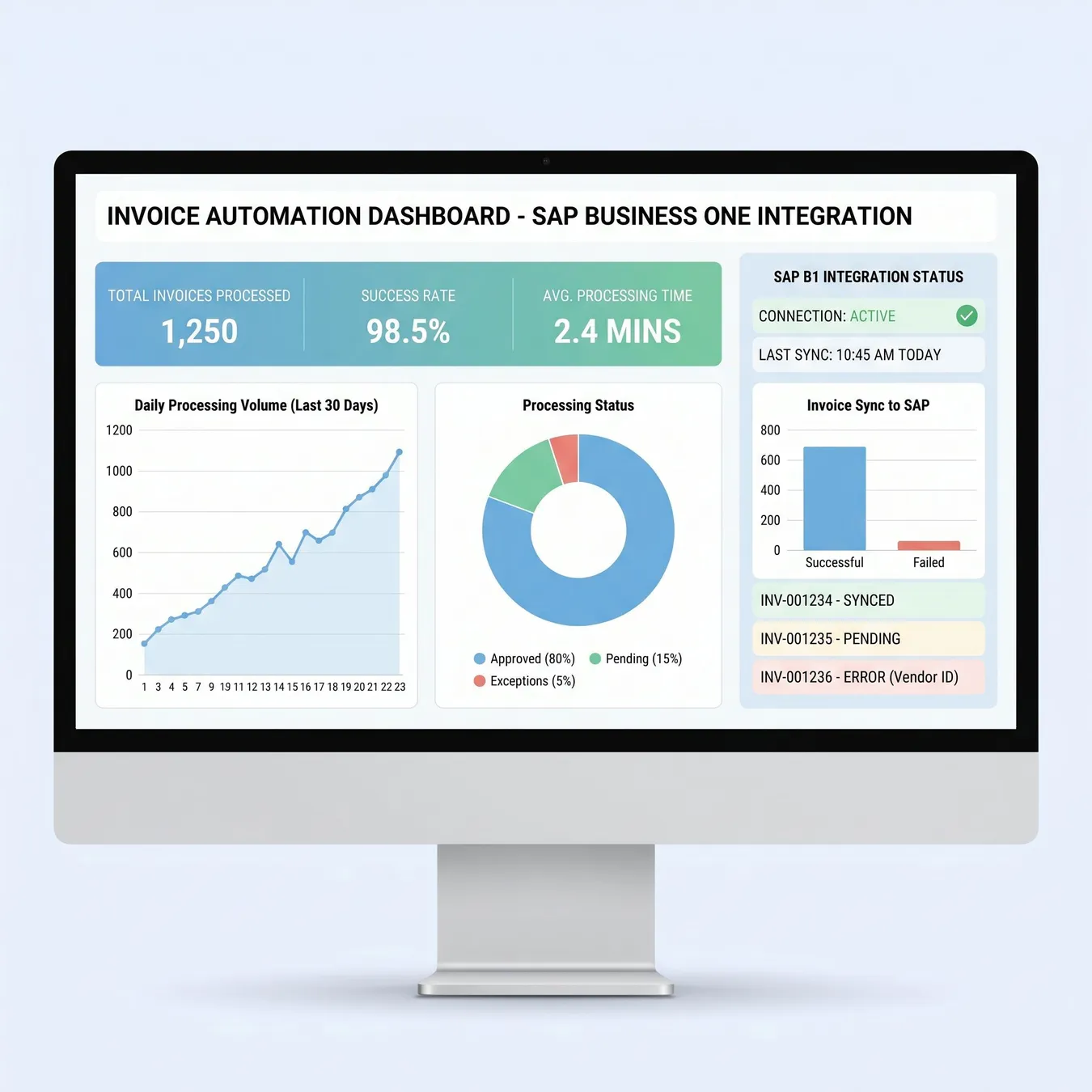
Modern AP automation dashboards provide real-time visibility into your financial health.
The Challenges of Manual AP in SAP Business One
Many organizations rely on manual entry for vendor invoices, which leads to high error rates and delayed payments. Without a dedicated accounts payable workflow automation strategy, tracking the status of an invoice within the SAP ecosystem becomes a time-consuming task for controllers.
- High volume of manual data entry into SAP B1
- Lost or misplaced paper and email invoices
- Difficulty tracking approval status across departments
- Duplicate payments and late fees
- Lack of real-time visibility into liabilities
How Custom Automation Transforms SAP Workflows
Custom automation bridges the gap between your incoming invoices and your ERP. By leveraging intelligent capture and business rules, you can ensure that every transaction is validated against your SAP master data before it ever hits the ledger.
80%
Reduction in manual entry
24h
Average approval time
100%
Audit trail accuracy
Core Components of an Automated AP System
Intelligent Data Capture
Modern systems use OCR and AI to extract header and line-item data from invoices. This information is then cross-referenced with SAP Business One purchase orders and goods receipts to ensure a perfect three-way match.
Dynamic Approval Routing
Instead of chasing signatures, invoices are automatically routed based on department, project, or dollar threshold. This ensures compliance with internal controls without slowing down the business.
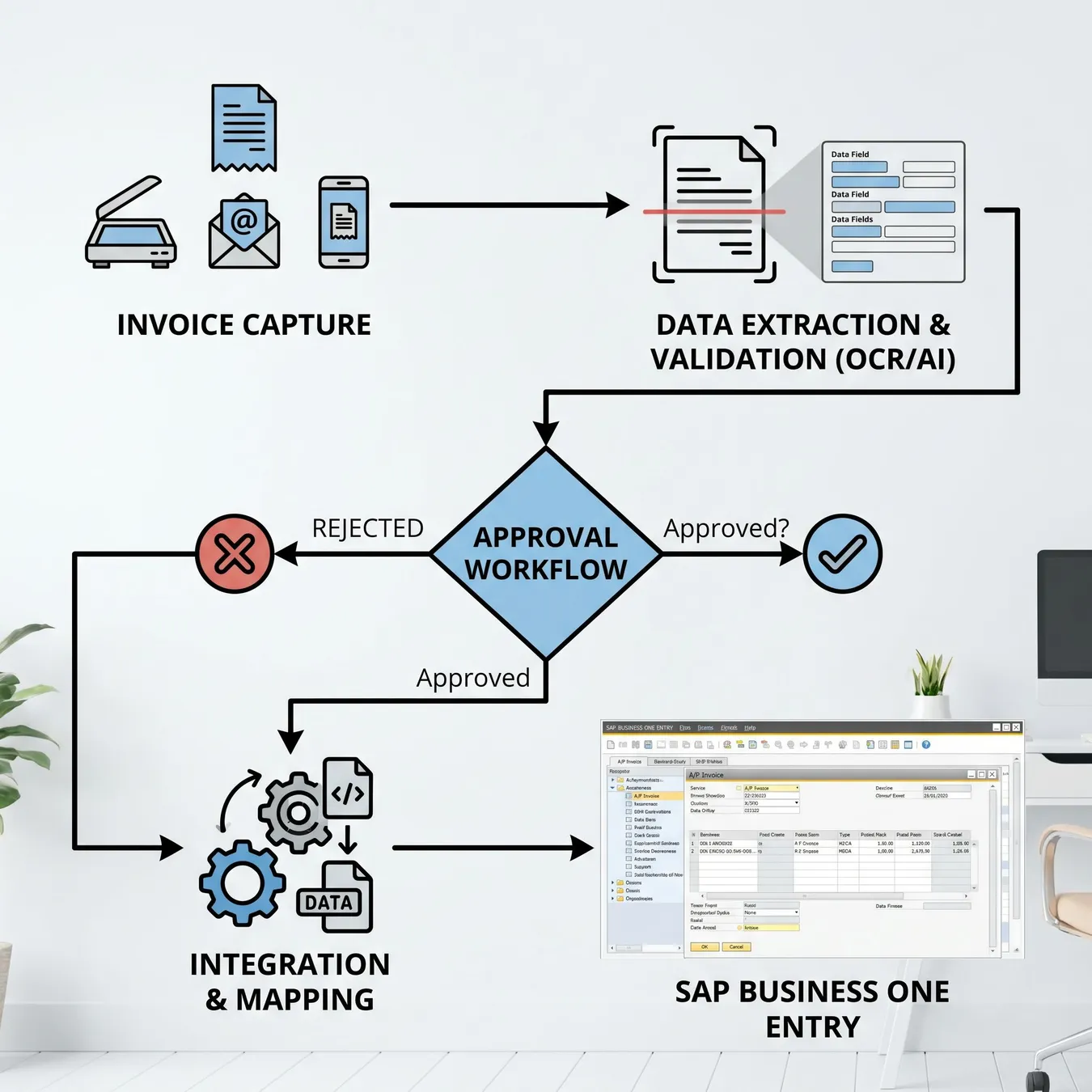
Streamlined data flow from invoice receipt to ERP.

Approve invoices on the go with mobile-responsive portals.
Integration Best Practices for SAP Business One
Use the SAP Service Layer for secure data exchange
Validate vendor details against master records
Implement multi-factor authentication for approvals
Maintain a clear audit log outside the ERP
Directly modify SAP database tables
Ignore duplicate invoice detection
Hard-code approval hierarchies
Neglect mobile accessibility for approvers
The Role of Cloud Infrastructure
For teams moving away from on-premise setups, understanding accounts payable automation systems built on cloud-native architecture is essential. These systems offer better uptime and easier integration with modern SaaS tools.
Closing the Loop with Payment Automation
Once an invoice is approved and posted in SAP, the next step is execution. Integrating accounts payable payment automation allows you to trigger disbursements and reconcile bank statements automatically.
Step-by-Step Implementation Guide
01 / 05
phase 01 / 05
Process Audit
phase 02 / 05
Data Normalization
phase 03 / 05
Custom Build
phase 04 / 05
User Testing
phase 05 / 05
Go-Live
Comparing Manual vs. Automated AP
| Feature | Manual Process | Automated System |
|---|---|---|
| Data Entry | Manual Typing | AI Capture |
| Matching | Visual Check | Auto 3-Way Match |
| Approvals | Email/Paper | Digital Workflow |
| Visibility | Delayed | Real-Time |
Frequently Asked Questions
Extending Automation Beyond Finance
While AP is a high-impact starting point, many teams find that general workflow automation software can help sync SAP data with other internal tools like CRMs or project management platforms.
Why Custom Software Beats Off-the-Shelf
Trade-off
4 pros · 3 cons
Pros
Tailored to your specific SAP configuration
No per-user licensing fees
Full control over data residency
Seamless integration with legacy add-ons
Cons
Higher initial development cost
Requires clear internal requirements
Longer setup time than generic apps
Building a Durable Financial Foundation
At Studio 402, we specialize in engineering the systems that keep growth-stage companies moving. If your SAP Business One environment is currently bogged down by manual financial tasks, we can help you build a production-grade solution that scales.
Automation isn't just about speed; it's about creating a reliable system of record that finance teams can actually trust.
Studio 402 Engineering Team · Systems Architects
Our Approach to SAP Engineering
We don't just bolt on a generic tool. We audit your existing SAP environment, identify the specific bottlenecks in your payables process, and build custom middleware that ensures data integrity and operational speed.

Custom engineering ensures your automation is built for your specific business logic.
Ready to Automate Your Payables?
Transitioning from manual entry to a fully automated SAP ecosystem requires a partner who understands both the technical constraints of ERPs and the operational needs of a finance department.
Trusted by growth-stage companies to build production-ready financial systems.
Studio 402: Engineering for real-world scale.
Streamline Your SAP Finance Ops
Stop fighting manual entry. Let's build a custom AP automation system that works for your unique SAP Business One setup.
Explore Related Automation Solutions
Implementation Checklist
Identify all invoice entry points (email, mail, portals)
Document current approval hierarchies and limits
Verify SAP Service Layer accessibility
Clean up duplicate vendor records in SAP
Define exception handling protocols
Technical Considerations
When building custom integrations, we focus on the long-term maintainability of the codebase. This includes comprehensive logging, error handling, and documentation that allows your team to manage the system after launch.
Info.
// Pro Tip
The Future of SAP Automation
As AI continues to evolve, the capabilities of SAP Business One automation will expand into predictive analytics and automated cash flow forecasting. Building a custom foundation today prepares you for these advancements tomorrow.
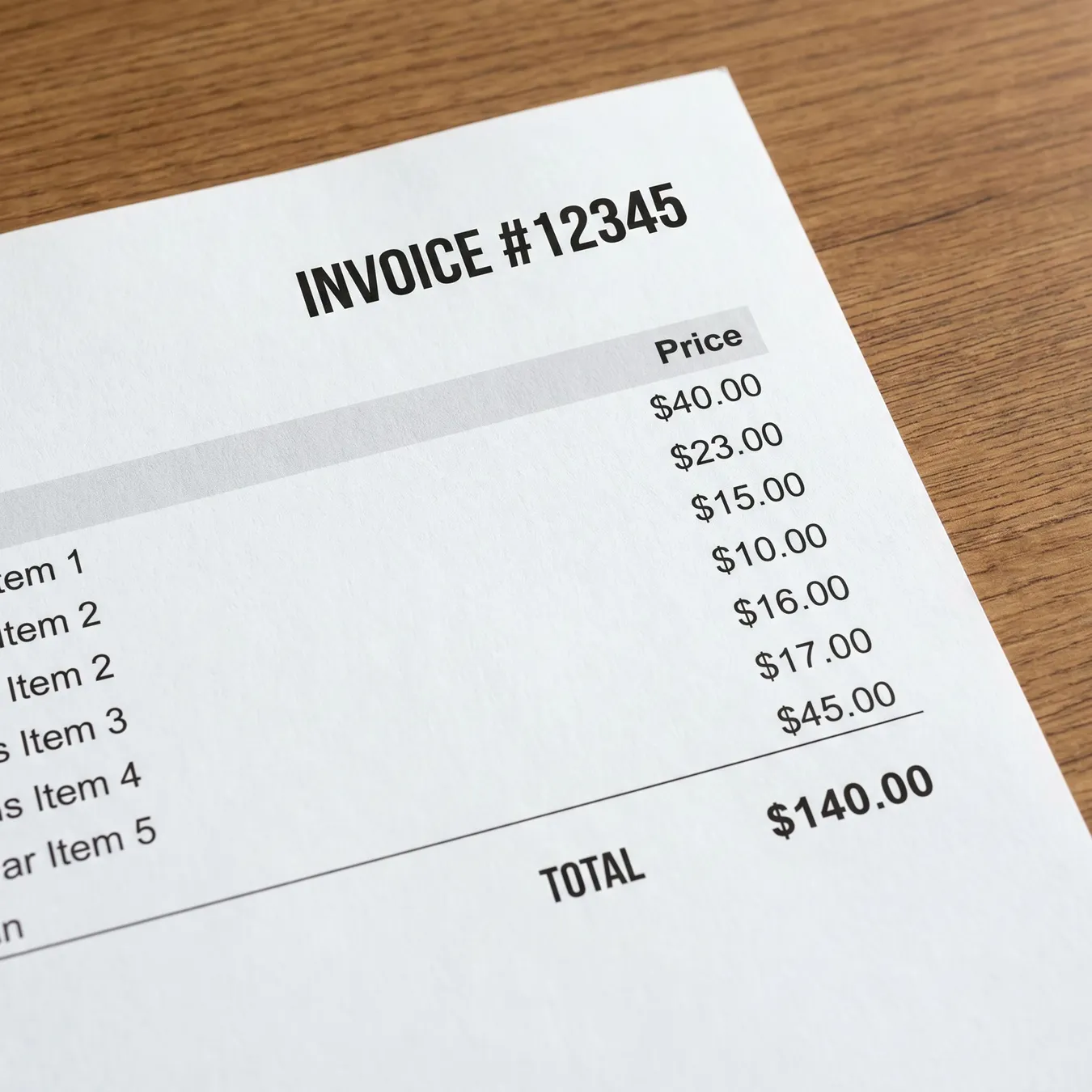
Visualize the efficiency of a fully integrated financial workflow.
Summary of Benefits
- Eliminate 90% of manual data entry errors
- Accelerate the monthly close process
- Improve vendor relationships with timely payments
- Enhance security and compliance with digital trails
- Free up finance staff for high-value analysis
Contact Studio 402
If you're ready to move beyond spreadsheets and manual entry, reach out to our team. We build the custom software that helps your business scale without the operational drag.
Keep reading
More in Financial & AP Automation
Final Thoughts on ERP Automation
The transition to automated accounts payable is a strategic investment in your company's operational maturity. By choosing a custom approach, you ensure that your technology serves your business processes, not the other way around.