
Custom Business Process Automation & Workflow Software
Modern organizations often struggle with manual operational drag caused by fragmented tools and spreadsheets. Implementing software to automate business processes is the most effective way to reclaim time and ensure consistent execution across your team.
40%
Time saved on manual data entry
0%
Approval bottlenecks after automation
24/7
Operational uptime for core logic
The Fundamentals of Business Automation Software
At its core, business automation software replaces human intervention in repetitive tasks with logic-driven systems. These solutions handle everything from simple data collection to complex multi-step approvals.
- Elimination of human error in data processing
- Standardized workflows for compliance and auditing
- Real-time visibility into process status
- Seamless integration between disparate software tools
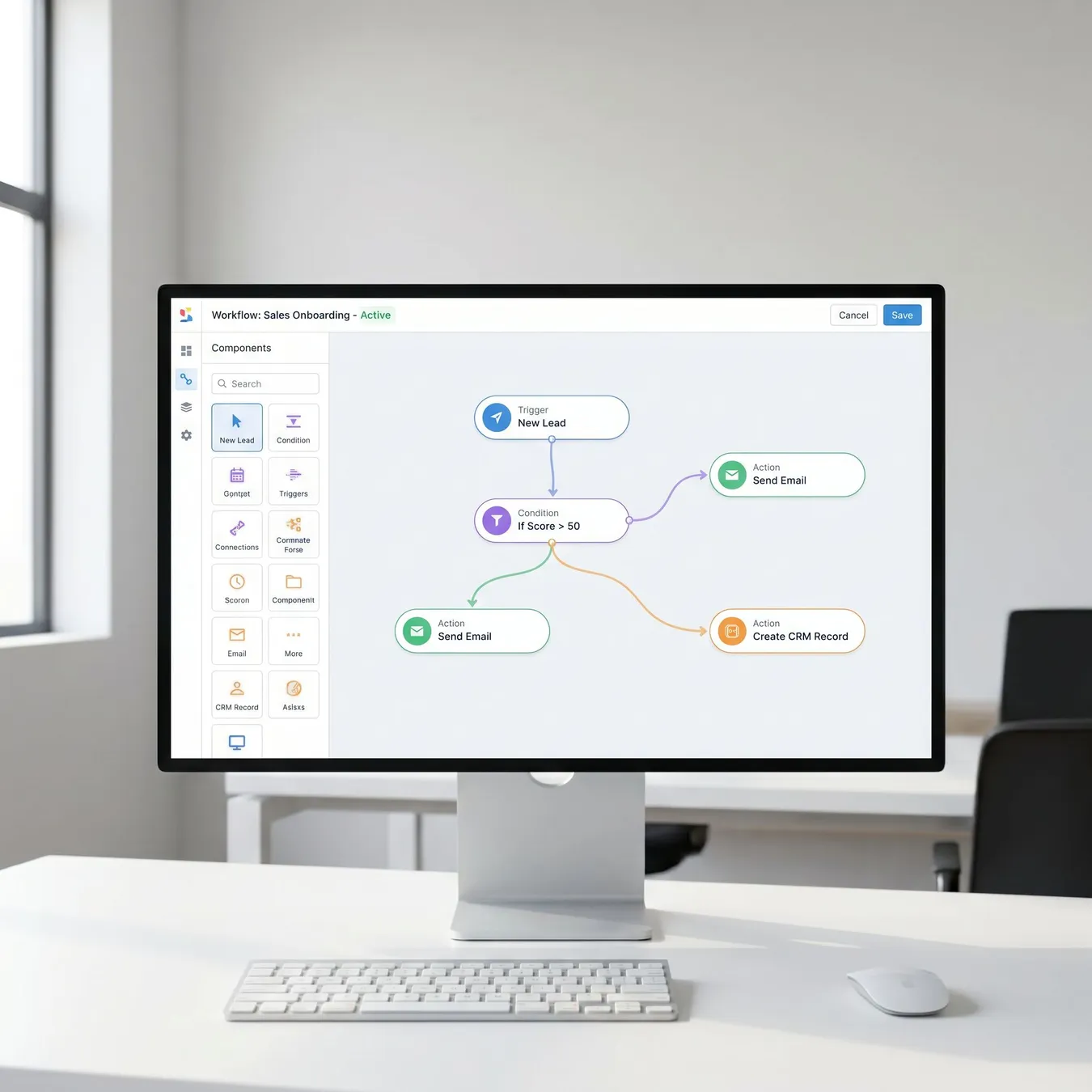
Visualizing complex business logic through automated workflow systems.
Key Components of Workflow Software Solutions
Effective workflow software solutions are built on three pillars: triggers, actions, and conditional logic. A trigger initiates the process, while actions carry out the work based on predefined rules.
Triggers and Data Inputs
Automation starts with data. Whether it is a new lead in a CRM or a form submission, the system must recognize the event instantly to begin the workflow.
Conditional Logic and Branching
High-end automated business software uses 'if-this-then-that' logic to handle exceptions. For example, an expense report under $500 might be auto-approved, while larger amounts require a manager's signature.
Info.
// Pro Tip
Benefits of Process Workflow Management Software
Investing in process workflow management software provides a scalable foundation for growth. As your transaction volume increases, your overhead remains flat because the software handles the heavy lifting.
Trade-off
4 pros · 3 cons
Pros
Instant execution of tasks
Perfect audit trails
Lower operational costs
Improved employee morale
Cons
Initial setup time required
Requires clear process mapping
Upfront engineering investment
Common Use Cases for Custom Automation
While every business is unique, certain departments see immediate ROI from automation. We often see these systems implemented in finance, HR, and customer success.
For instance, many firms utilize financial operations software to handle complex billing cycles and reconciliation tasks that would otherwise take days of manual effort.
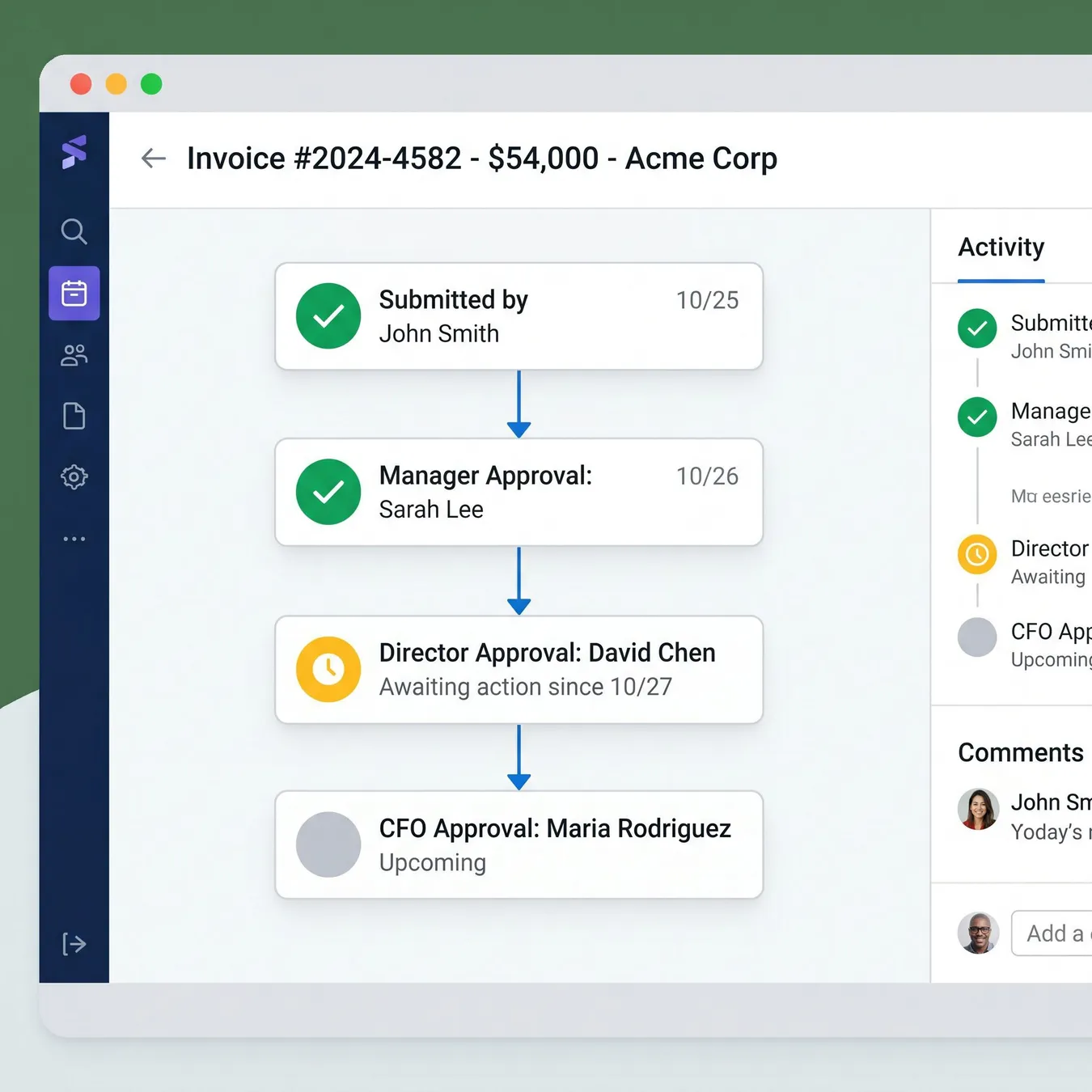
Approval workflows.

Automated reporting.
How to Build a Custom Automation Roadmap
01 / 04
phase 01 / 04
Audit
phase 02 / 04
Design
phase 03 / 04
Build
phase 04 / 04
Deploy
Automation Best Practices
Start with the most repetitive task
Ensure data clean-up before automating
Build in human-in-the-loop checkpoints
Document the logic for future updates
Automate a broken or inefficient process
Ignore security and permissions
Hard-code values that change frequently
Why Custom Software Beats Off-the-Shelf Tools
Generic SaaS tools often force you to change your business to fit their software. When you build custom business applications, the software is engineered to fit your specific operational DNA.
Automation is not about replacing people; it is about freeing them from the mundane so they can focus on high-value strategy.
Studio 402 Engineering Team
Bridging the Gap to Production-Ready Systems
At Studio 402, we specialize in taking complex manual workflows and turning them into durable, scalable software. We help companies move beyond fragile no-code setups into hardened production environments.
Trusted by growth-stage teams to automate core logic.
From fintech to logistics, we build systems that scale.
Frequently Asked Questions
Eliminate Your Operational Drag
Ready to turn your manual workflows into a competitive advantage? Let's build a system that scales with your business.
Keep reading