
Replacing Manual Spreadsheets with Durable Custom Software
For many growing businesses, spreadsheets are the default operating system. While they are flexible and easy to start, relying on them for core business logic eventually creates a ceiling for growth. To scale, you must replace spreadsheets with software designed for multi-user collaboration and data integrity.
- Operational Scale
- Data Integrity
- Workflow Efficiency
- Digital Transformation
Why Businesses Need to Replace Spreadsheets
Spreadsheets are essentially single-user tools forced into a multi-user world. As your team grows, the risk of data corruption, version control issues, and manual entry errors increases exponentially. When you replace spreadsheets, you move from fragile files to a centralized database that serves as a single source of truth.
88%
Spreadsheets with significant errors
20%
Time lost to manual data entry
0
Native audit trails in basic files
Internal Tools vs Spreadsheets: A Comparison
Understanding the fundamental differences in internal tools vs spreadsheets is the first step toward modernization. While spreadsheets offer infinite flexibility, custom software offers structured reliability and security that files simply cannot match.
Trade-off
5 pros · 5 cons
Pros
Role-based access control
Automated data validation
Real-time multi-user sync
API-driven integrations
Immutable audit logs
Cons
Broken formulas and links
No granular permissions
Manual copy-paste errors
Limited data volume
Security vulnerabilities
Signs You Have Outgrown Your Spreadsheets
- Multiple versions of the 'same' file are circulating.
- Formulas break when a new row is added or deleted.
- Loading the file takes more than 10 seconds.
- You cannot tell who changed a specific value and why.
- Sensitive data is being shared via email attachments.
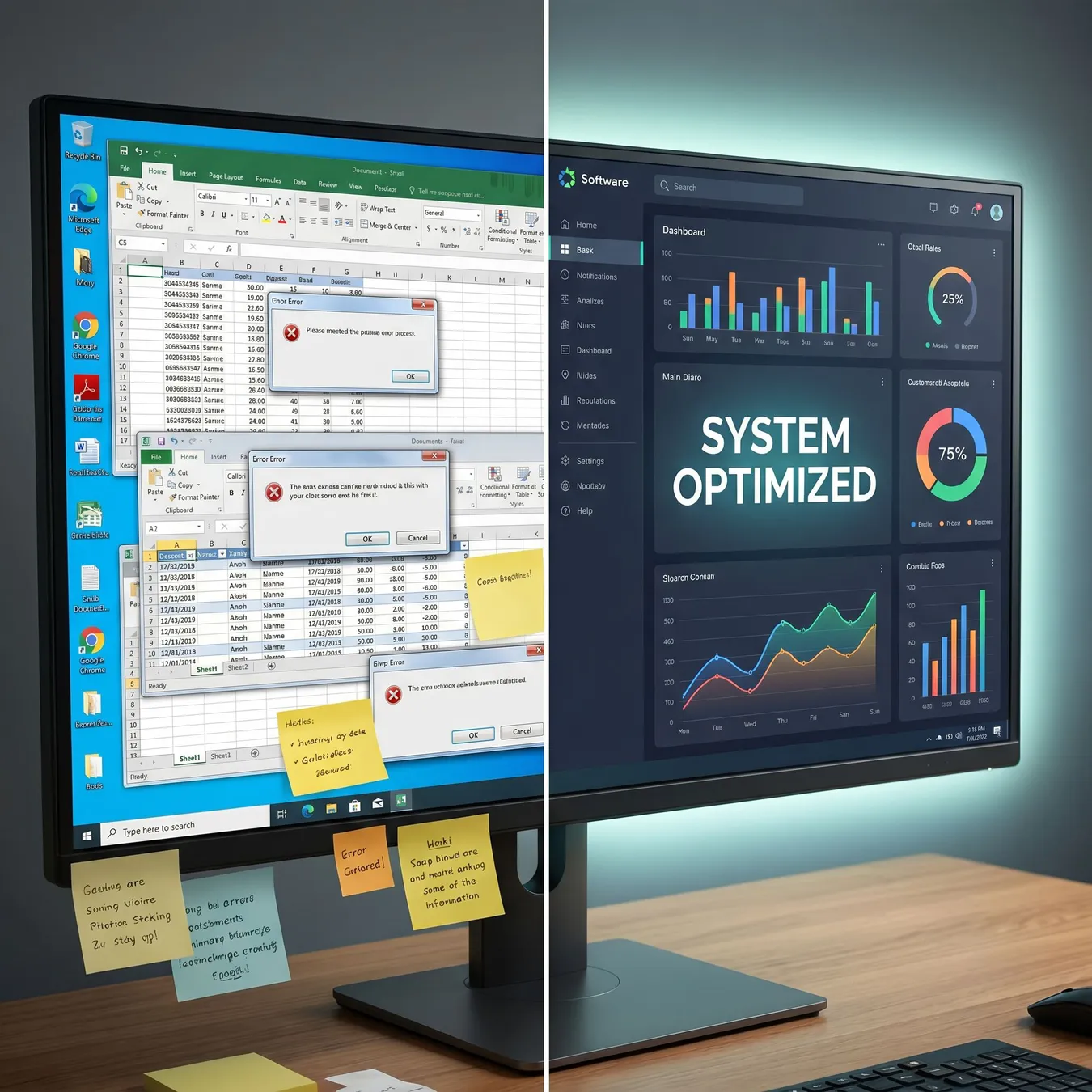
The transition from spreadsheet chaos to structured software clarity.
The Benefits of Custom Business Applications
By investing in custom business applications, you are building a foundation that supports automation and complex logic. Unlike off-the-shelf tools, these systems are mapped exactly to your unique operational requirements.
Modernizing Your Spreadsheet Finance Ops
Finance is often the most spreadsheet-dependent department. Migrating your spreadsheet finance ops to a dedicated platform ensures compliance and reduces the risk of costly calculation errors that can impact your bottom line.
Info.
// Security Note
Steps to Replace Spreadsheets with Software
- 01
Audit existing spreadsheets to identify core logic.
- 02
Map the user workflows and required permissions.
- 03
Design a relational database schema for the data.
- 04
Build a production-ready web application interface.
- 05
Migrate legacy data and validate for accuracy.
- 06
Train the team and sunset the old files.
Implementing Workflow Automation Software
Manual coordination is the hidden cost of spreadsheets. By deploying workflow automation software, you can trigger notifications, approvals, and data updates automatically based on business rules.
Common Migration Challenges
The transition isn't just technical; it's cultural. Users are often comfortable with the 'wild west' flexibility of Excel. Addressing these challenges early ensures a higher adoption rate for the new system.
Involve end-users in the design phase.
Clean your data before importing it.
Start with a Minimum Viable Product (MVP).
Ensure the software integrates with existing tools.
Try to replicate every single Excel feature.
Migrate 'dirty' or redundant data.
Skip the user testing phase.
Leave the old spreadsheets active too long.
Data Structure: From Flat Files to Relational Databases
| Feature | Spreadsheet | Custom Software |
|---|---|---|
| Data Model | Flat / Tabular | Relational / Graph |
| Validation | Manual / Weak | Schema-enforced |
| Concurrency | Limited / Locking | High / Multi-user |
| Scalability | Low (MBs) | High (TBs) |
The Timeline of Software Development
Understanding the timeline of software development is crucial for planning your operational transition. A typical migration can take anywhere from a few weeks to several months depending on complexity.
01 / 04
phase 01 / 04
Discovery
phase 02 / 04
Architecture
phase 03 / 04
Development
phase 04 / 04
Launch
Case Study: Replacing a Global Logistics Spreadsheet
One client managed their entire supply chain in a 50MB Excel file. By moving to a custom web application, they reduced processing time by 60% and eliminated duplicate data entries across three international offices.

Custom logistics software replacing a fragmented manual process.
Maintaining Your New Custom System
Unlike spreadsheets, which rot over time as formulas break, custom software is built to be maintained. Regular updates, security patches, and feature iterations keep the system aligned with your business growth.
Frequently Asked Questions
Bridging the Gap with Studio 402
At Studio 402, we specialize in rescuing teams from spreadsheet-driven operational drag. We don't just build apps; we design durable systems that turn manual bottlenecks into automated competitive advantages.
Whether you are a startup founder needing an MVP or an SMB operator looking to harden your internal tools, our engineering team provides the architectural depth required for production-grade outcomes.
Trusted by growth-stage teams to build scale-ready software.
From seed-stage MVPs to mid-market operational platforms.
Ready to Modernize Your Operations?
The transition from spreadsheets to software is the single most impactful move a scaling business can make. It unlocks data visibility, team accountability, and technical reliability.
Build Your Custom Workflow Platform
Stop fighting your spreadsheets and start scaling your business with durable, production-ready software.
Explore Related Solutions
Keep reading
More in Custom Software & SaaS Development
Final Checklist for Migration
Identify the 'Master' version of every spreadsheet.
Document all hidden formulas and macros.
Define user roles (Admin, Editor, Viewer).
Verify data accuracy before the final import.
Establish a backup and recovery plan.
The Future of Your Business Data
In 2026, data is your most valuable asset. Keeping it locked in fragile files is a risk you can't afford. Custom software ensures that your data is secure, accessible, and ready for the next stage of your company's growth.

Collaborating on the future of your business infrastructure.
Conclusion
Replacing spreadsheets with software is more than a technical upgrade; it's a strategic investment in your team's productivity. By moving to a durable custom platform, you eliminate the friction of manual work and build a system that grows with you.
The best time to replace a critical spreadsheet was six months ago. The second best time is today.
Studio 402 Engineering Team
Next Steps for Your Team
If you're ready to stop managing your business in files and start building a real platform, reach out to our team at studio@402.studio. We'll help you audit your current setup and design a path to production-ready software.