
Modernizing Operations with Automated Digital Workflows
In a fast-paced business environment, manual processes are more than just a nuisance; they are a barrier to growth. Transitioning to automated digital workflows allows organizations to reclaim time and focus on high-value strategic initiatives.
45%
Work activities automatable today
3.2x
Efficiency gain in ops teams
0%
Manual data entry errors
Understanding Business Workflow Automation
At its core, business workflow automation is about creating a sequence of tasks that execute without human intervention. This ensures that data moves seamlessly between departments and tools, maintaining integrity at every step.
When you choose to automate manual business processes, you are not just replacing a person with a script; you are building a resilient system that can handle spikes in volume without increasing headcount.
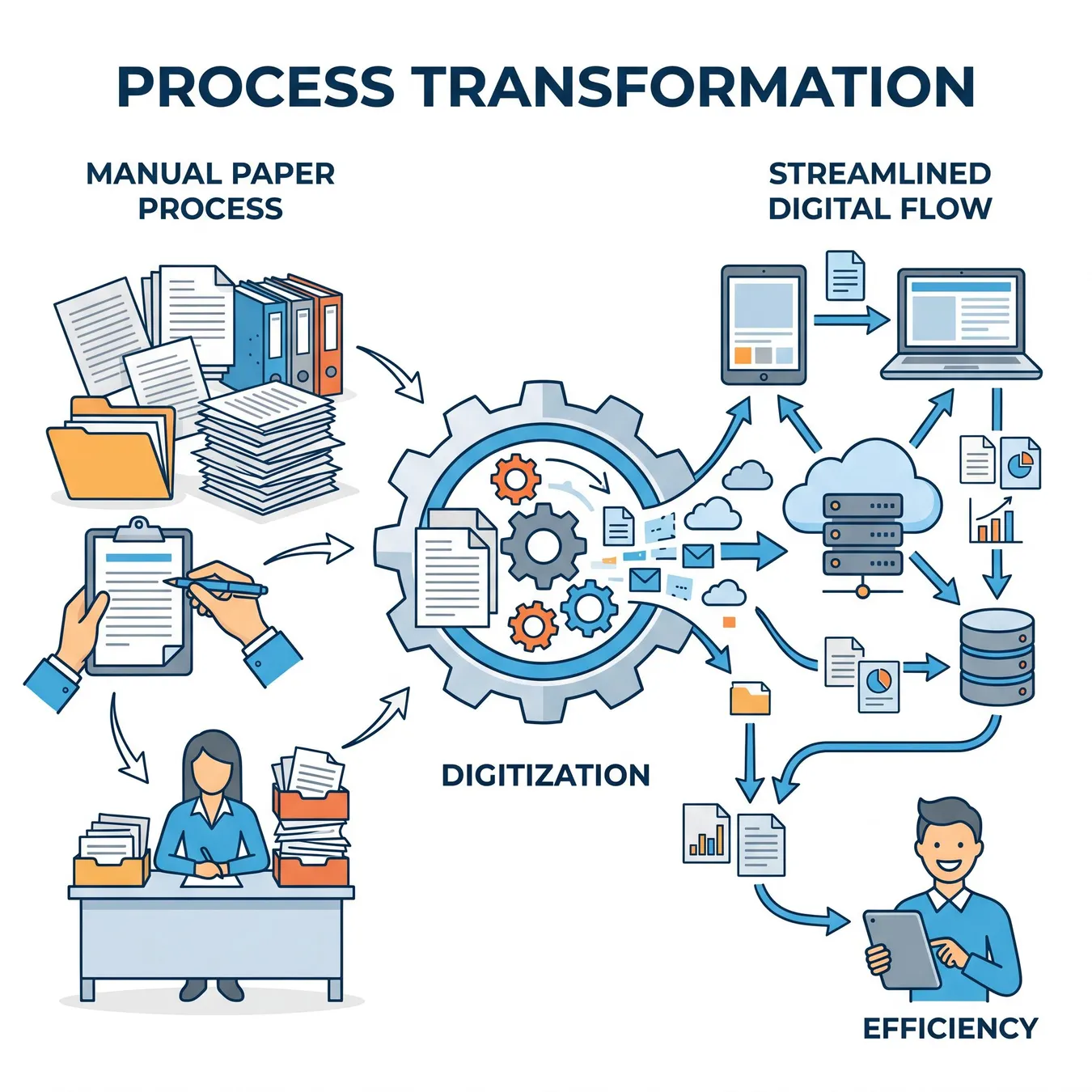
The evolution from manual bottlenecks to automated efficiency.
The Core Components of Automated Workflow Solutions
Modern automated workflow solutions rely on three primary pillars: triggers, logic, and actions. A trigger starts the process, logic determines the path, and actions are the final outputs.
- Event-based triggers from CRM or ERP systems
- Conditional branching for complex decision making
- API integrations with third-party SaaS tools
- Automated notifications and status updates
- Data transformation and normalization
Triggers: The Starting Point
A trigger can be as simple as a new email arriving or as complex as a specific data threshold being met in a financial database. Reliability here is critical to ensure no task is missed.
Logic: The Brain of the System
This is where the system decides what happens next. For those with advanced needs, complex workflow automation provides the necessary depth to handle multi-step conditional branching.
Benefits of Automated Workflow Software
Implementing professional automated workflow software reduces the cognitive load on your team. Instead of tracking status in spreadsheets, the software provides a single source of truth.
Trade-off
4 pros · 3 cons
Pros
Elimination of human error in data entry
Real-time visibility into process status
Scalability to handle 10x volume instantly
Standardized compliance and audit trails
Cons
Initial time investment for mapping
Requires clear existing process logic
Potential for 'garbage in, garbage out'
Step-by-Step Modernization Roadmap
01 / 05
phase 01 / 05
Audit
phase 02 / 05
Design
phase 03 / 05
Build
phase 04 / 05
Test
phase 05 / 05
Deploy
Common Pitfalls in Digital Modernization
Start with the most repetitive high-volume task
Ensure all stakeholders agree on the logic
Build for error handling and logging
Use APIs instead of fragile web scraping
Automate a broken or inefficient process
Hardcode credentials or sensitive data
Ignore the human-in-the-loop requirements
Forget to set up monitoring alerts
The Role of People in Automated Systems
Automation doesn't mean removing people; it means empowering them. Effective people workflow automation ensures that when a human decision is needed, the person has all the context they need.
Info.
// Human-in-the-Loop
Workflow Modernization Best Practices
Define clear success metrics (e.g., time saved)
Map every data field transition
Identify all third-party API dependencies
Create a rollback plan for deployment
Scaling Beyond Simple Automation
As your business grows, simple triggers aren't enough. You need workflow automation software that can handle high-concurrency and complex state management.
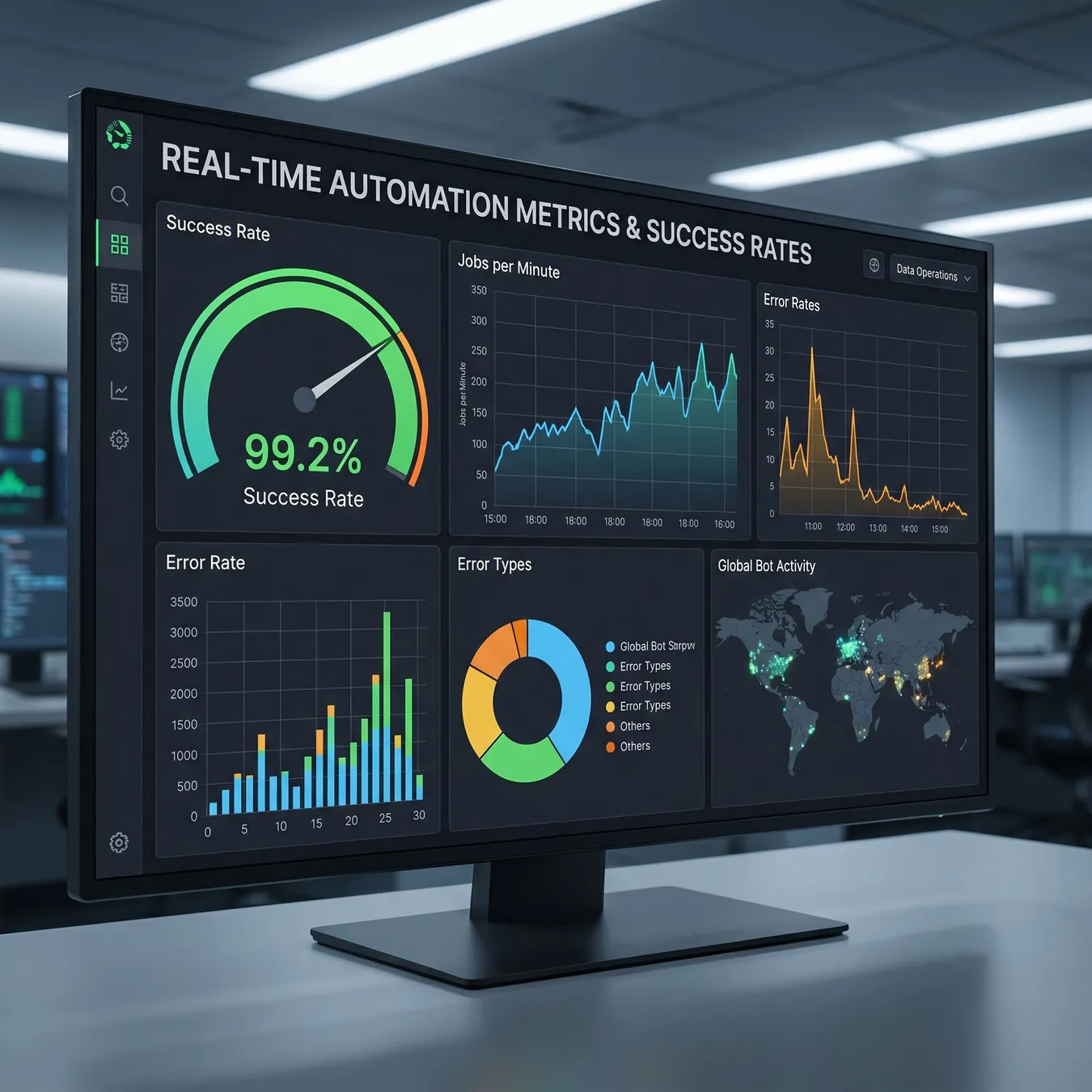
Monitoring system health.

Durable engineering foundations.
Frequently Asked Questions
Transitioning from Fragile to Durable Systems
Many teams start with basic automation tools but quickly find they lack the security and error-handling needed for critical operations. This is where professional engineering makes the difference.
Modernization isn't about the tools you use; it's about the reliability of the outcomes you create.
Studio 402 Engineering Team
How Studio 402 Engineers Your Operations
At Studio 402, we don't just set up triggers. We build custom software that acts as the backbone of your business. We bridge the gap between your current manual pain points and a future-proof digital infrastructure.
Whether you are rescuing a broken prototype or building a new system from scratch, our focus is on production-ready code that scales with your ambition.
Our Approach to Workflow Engineering
We combine deep technical expertise with an understanding of business operations to ensure that every line of code serves a commercial purpose.
| Feature | Standard Automation | Studio 402 Custom |
|---|---|---|
| Error Handling | Basic Alerts | Automated Retries & Logging |
| Scalability | Rate Limited | Cloud-Native Elasticity |
| Security | Shared Keys | Enterprise IAM & Encryption |
Expert Guidance for Your Automation Journey
Choosing the right path requires more than just technical skill; it requires strategic foresight. We help you decide when to buy off-the-shelf and when to build custom.
Ready to Modernize Your Operations?
Don't let manual drag slow your growth. Let's build the systems that will carry your business through its next phase of scale.
Trusted by growth-stage teams to handle millions of automated events monthly.
Updated July 2026
Build Your Automated Future
Stop fighting manual bottlenecks. Start a conversation with Studio 402 to engineer durable workflow systems.
Explore Related Modernization Topics
Deepen your understanding of how custom software can transform your back-office and customer-facing operations.
Keep reading
More in Workflow Automation & Systems
Our engineering team is dedicated to shipping high-quality, production-grade software that solves real operational challenges. We look forward to hearing about your project.
- Operational Excellence
- Custom Engineering
- Scalable Systems
- AI-Native
Modernizing operations is a journey, not a destination. Continuous iteration and monitoring ensure your workflows remain efficient as your business evolves.
Thank you for reading our guide on digital workflow modernization. We hope this provides a clear path forward for your team.
For more insights into custom software development and AI integration, visit our main insights hub or contact us directly.